Beetleball Controls
Keyboard table, camera aim, controller support, and the accessibility toggles that matter.
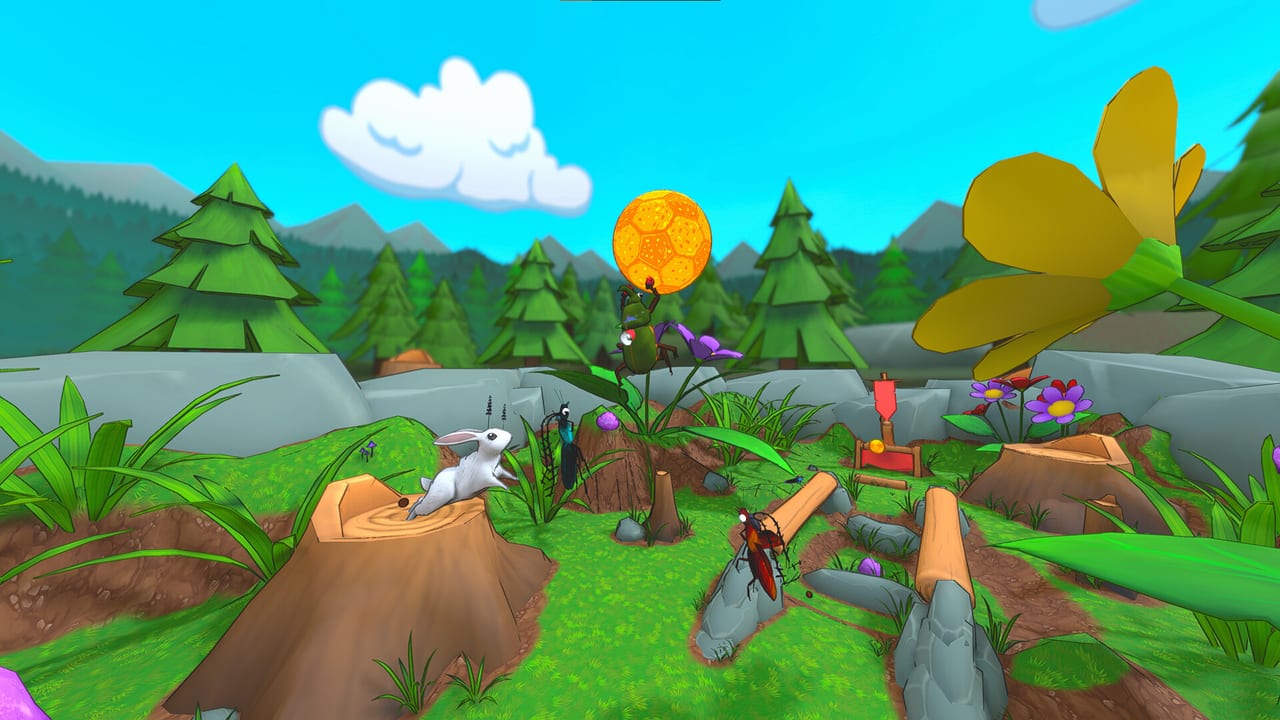
Beetleball is a mouse-aim game that happens to use WASD. The beetle goes where you steer; the dung goes where you were looking when you released right click. If your throws feel random, you are not missing a hidden shoot button — you are flicking the camera as you release. This page is the input reference. Scoring rules live on How to Score. The movement strings that use these keys live on Movement Tech.
Default keyboard is the competitive baseline. Full controller support exists. There is no ball-cam. People ask for one constantly; Early Access still uses a third-person follow camera, and you aim with look.
Keyboard map
| Action | Default | Notes |
|---|---|---|
| Move | W A S D | You can walk on floors, walls, and ceilings. |
| Sprint | Left Shift | Hold to run. With always-sprint on, Shift becomes walk. |
| Jump | Space (tap) | Variable height. Use it to clear cakes, lips, and other beetles. |
| Flutter | Space (hold) | Wings buzz and you gain extra hang after the jump. |
| Glide | Space (tap in air) | Tap again once you are airborne. Look somewhat down for speed, not flat at the horizon. |
| Grab | Left click | Starts a one-second grab window. You can click, then move into the ball. |
| Headbutt | Right click hold, then release (empty hands) | Launches you, beetles, and balls along camera aim. Makes carriers drop. |
| Throw | Right click hold, then release (holding a ball) | Same input as headbutt, different result because you have dung. Camera aim. |
| Ability | Q | On-ball ability if you are holding dung, off-ball ability if you are not. Same key. |
| Walk on walls / ceilings | None | Automatic when you drive onto a surface. |
There is no separate “shoot” key. Right click is headbutt or throw depending on whether you are holding. There is no dedicated drop key beyond releasing grab (left click again while holding) so the ball leaves your beetle.
Camera aim is the shot
Headbutt direction and throw direction both read the camera at release. If you want a ball to go up, look up, then release. If you want a goal-line clearance along the ground, look at the grass in front of the net, then release. If you want a pyramid bounce on Egypt, look at the face you intend to kiss, then throw or headbutt into it.
This is also why mouse sensitivity matters more than a fancy beetle. Too high and your gold leaves at a random sky angle. Too low and you cannot track a Ladybug that just took off. Pick a sensitivity you can still use to look down during a glide; Movement Tech needs that down-angle for speed.
A headbutt grab is the first combo that makes the table above feel like one instrument: left click to open the grab window, then right click into the ball so the headbutt and the grab overlap. You can also hold right click and left click while it is still held. The grab window is one second, so you can pre-click grab, then complete a flutter or a short dash into the dung. That pre-input is how speed techs stay on beat.
Keep the camera honest in the box. A Goliath who looks at the incoming gold and headbutts it is playing the game. A Goliath who looks at the sky and headbutts is decorating the picnic.
Controller support, still no ball-cam
Plug in a pad and Beetleball will show controller glyphs. Left stick moves. Look is the right stick. Jump / flutter / glide still live on the face button that the game binds to Space. Grab and headbutt/throw sit on triggers or bumpers depending on the layout the client displays. Ability is a face button. Open the in-game control screen after you connect a device and read the glyphs — this page will not invent a fake Xbox map that drifts after a patch.
What controller does not add is a ball camera. You will not get a Rocket League-style lock that yaws you toward dung. You steer the third-person camera yourself. That is the common request, not a hidden setting. If you came from a car-soccer title, budget an evening to learn look-down glides on a pad.
Controller players can still perform headbutt grabs. The rule is the same overlap of grab and headbutt, not a special analog trick. Lower right-stick sensitivity until you can hold a down-angle in glide without twitching into the sky.
Camera comfort and chat targets (Longhorn update)
The April 2026 Longhorn patch did not only add a grappling-hook beetle. It added camera comfort options that belong on this page, not buried in a class article:
- Recenter camera — a dedicated button to snap look back to a sane follow angle after a wild throw or a wall-walk.
- Free look — look without committing a throw; useful when you are defending a net and only need to scan.
- Invert camera X and Y — separate invert toggles if your muscle memory is inverted from another third-person game.
- Auto-rotate camera with movement — optional. Competitive players usually leave this off so look stays independent of WASD. New players on a pad sometimes turn it on for a night, then turn it off once glide-down exists in their hands.
Chat targeting also landed there: you can cycle All / Team / Party (the news post named the backslash key as the cycle). Proximity voice is still the close-range layer; typed chat is the fallback when someone is across Egypt. None of this is a ball-cam. If a YouTube comment says “just invert and you get ball cam,” it is wrong.
Confirm the current bind screen after any patch. This wiki will not invent glyphs that drift. When the keys feel boring, take them into a custom lobby on Picnic before you donate gold in ranked.
Accessibility that changes how you play
Bugfight shipped several toggles that are not cosmetics. Use them.
Always sprint. Accessibility option. When enabled, you sprint by default and Shift (or the bound walk input) slows you down. Demo notes even flipped auto sprint on at one point; still verify the box on a fresh install. Walking is for lining a merge or a wall-walk onto a thin prop, not for crossing Picnic.
Colourblind mode. Added with the larger cosmetic update that also brought Snowman and extra maps’ music. BLUE versus RED is the whole identity of a match. If those nets collapse into one muddy colour, turn the mode on before you blame your goalie.
Disable team outlines. Some players want the extra silhouette on allies and enemies. Some find the extra stroke noisy on a busy picnic. If outlines fight the ball indicator (the vertical line that marks dung, including small balls), switch them off and rely on motion and the indicator.
Distance blur. A depth-of-field style soften on far geometry. Pretty on Museum. Miserable if you are tracking a gold on Egypt’s far pyramid or a rabbit on Beach’s back sand. Turn it off if the ball keeps disappearing into frosting.
None of these replace learning Getting Started rules. They just stop the client from fighting you. After inputs feel boring, go play a custom lobby on Picnic and drill the grab window until left click is a habit, not a prayer. Ranked can wait; see Ranked Matchmaking when the keys are no longer the problem. If you are deciding whether the $7.99 Early Access build is for you, read the launch review.
Frequently Asked Questions
Quick answers for Beetleball players.
What is the default Beetleball keyboard layout?
WASD to move, Shift to sprint, Space to jump / hold to flutter / tap in air to glide, left click to grab, right click to headbutt or throw, Q for the class ability.
How do I aim a headbutt or a throw?
Look with the mouse (or right stick). The camera at release is the shot. There is no separate shoot key and no ball-cam.
Does Beetleball support a controller?
Yes, full controller support. Confirm glyphs in Settings after you plug in. Competitive look is still manual; a ball-cam is a common request, not a current option.
What does always-sprint actually do?
It makes sprint the default and remaps Shift to walk. Use it. You almost never want to cross a map at walk speed.
Which accessibility options should I check first?
Always-sprint, colourblind mode, disable team outlines if the extra stroke is noisy, and turn off distance blur if far balls go soft.
Where did recenter camera, free look, and invert come from?
The April 2026 Longhorn update, with invert X / invert Y and auto-rotate. That is not a ball-cam. Drill them in a custom lobby before you queue ranked.