Beetleball Settings
PC specs, accessibility toggles, proximity voice, and controller notes for Early Access.
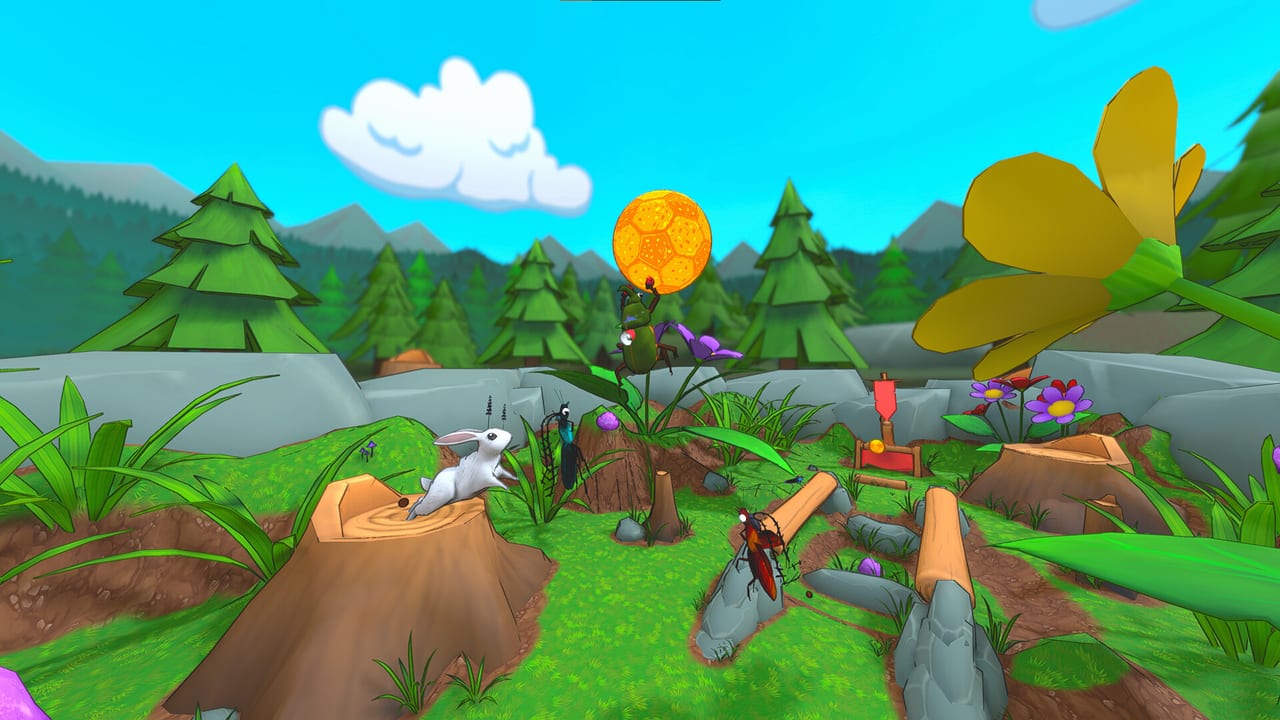
Beetleball is a momentum sports game with gold merges, 3D picnic maps, and up to twelve beetles on screen. Settings matter because you cannot finish a golden dungball you never saw. This page covers Steam system requirements, the accessibility and video toggles Bugfight has named in patch notes, proximity voice, and controller support. Binds themselves belong on controls. Cosmetics belong on the shop hub.
Early Access launched 3 September 2026 on Windows, macOS, and Linux. A broadband connection is required; this is online PvP, not a campaign you can pause offline. Steam lists full controller support, custom volume controls, stereo and surround, camera comfort, color alternatives, playable without timed input, Steam Cloud, stats, and leaderboards. Steam Deck compatibility is listed as unknown — do not treat a handheld as verified from this wiki.
Windows, macOS, and Linux requirements
Figures below follow the Steam store page for app 2776270. Steam itself only supports Windows 10 and later as a client even though the game still prints Windows 7 64-bit in the minimum box.
Windows — minimum
- OS: Windows 7 64-bit or newer 64-bit Windows
- CPU: 2.5 GHz dual core
- RAM: 8 GB
- GPU: NVIDIA GeForce 760, AMD Radeon R7 270X, or better
- DirectX 11
- Network: broadband
- Storage: 6 GB
Windows — recommended
- OS: Windows 7 64-bit or newer 64-bit Windows
- CPU: 3.0+ GHz quad core
- RAM: 16 GB
- GPU: NVIDIA GeForce GTX 1060, AMD Radeon RX 470, or better
- DirectX 11
- Network: broadband
- Storage: 7 GB
macOS — minimum: macOS 11 Big Sur or newer; Intel Core i5 dual-core or Apple M1; 8 GB RAM; Apple M1 integrated GPU or Radeon Pro 560-class; 6 GB storage.
macOS — recommended: Intel Core i5/i7 quad-core or Apple M1 Pro; 16 GB RAM; Apple M1 Pro or Radeon Pro 5500M-class; 7 GB storage.
Linux — minimum OS: Ubuntu 20.04 LTS 64-bit or equivalent, plus the same broadband expectation as the other platforms.
If frames dip when Museum or Beach fills with golden VFX, drop effects before you blame movement tech. Distance blur (below) is the named video toggle from demo notes.
Accessibility: always sprint, colourblind, outlines, blur
Always sprint. Default keyboard sprint is hold Shift. Accessibility includes a toggle that keeps you sprinting without holding the key; hold the sprint bind to walk instead when you need slow alignment for a setup. Most ranked beetles sprint by default. Walking is a tool, not a lifestyle. Pair this with the controls page so you know which bind you just inverted.
Colourblind mode. Added in the Next Fest update. Beetleball paints you blue and the enemy net red. If those hues collapse, turn the mode on before you decide gold is “hard to track.” Steam also tags the build with color alternatives. This wiki will not invent extra slider names Bugfight has not printed.
Disable team outlines. Added in Demo Update #2 (29 January 2026). Outlines help you find friendlies in a 6v6 pile. They also clutter a gold chase. Turn them off if the picnic reads as neon spaghetti; leave them on if you keep headbutting teammates.
Distance blur. Video setting, default enabled, also from Demo Update #2. It softens far geometry on vertical maps (pyramids, sandcastles, Museum shelves). Disable it if you lose the ball in the haze, or if you are chasing frames on minimum GPU. Enable it if distant clutter is worse than a little blur.
Other published QoL that is not a slider but affects “settings” in the lobby sense: AFK auto kick, 75% majority ready, and a host force start button. Use force start when a custom lobby is waiting on one disconnected beetle. Players at level 8 or below have seen extra button prompts in custom lobbies in demo notes — useful if you are teaching a friend how to score.
Audio and proximity voice
Launch added proximity voice chat. Nearby beetles hear you; a Goliath on the red net may not hear a Ladybug screaming on the far cake. That is the point. Use it for “gold left donut” callouts, not for ranked essays. Custom volume controls are a Steam feature of the build — lower voice before you lower the ball hit sounds, because audio still tells you when a merge pops.
If proximity voice is more tilt than information, mute and play. Bugfight asked launch players to report bugs on Discord, not to leave voice open as a stress test. Official invite: links.
Controller notes
Steam lists full controller support, including DualShock and DualSense categories on store scrapes. You can play Beetleball with a gamepad. You should still learn what the actions are on controls: move, sprint, jump/flutter/glide, headbutt, grab, on-ball/off-ball ability. Camera comfort is a listed Steam accessibility tag; if the 3D picnic nauseates you, look for camera options before you uninstall.
This page will not invent a full Xbox/PlayStation glyph table that Bugfight has not published in a patch. If a bind feels wrong, remap where the game allows, then drill in a custom lobby (force start if needed) before you queue ranked. Keyboard players who enable always sprint should not assume the controller sprint trigger inverts the same way until they test it.
Launch-week order: set always sprint and colourblind if you need them, confirm voice volume, then go play. Hats and eggs wait on the shop. Atlas, Bee, and Museum wait in the launch recap. A perfectly tuned PC that never sprints still loses gold.
Frequently Asked Questions
Quick answers for Beetleball players.
What are Beetleball's minimum PC specs?
Windows 7 64-bit, 2.5 GHz dual core, 8 GB RAM, GTX 760 or R7 270X, DirectX 11, 6 GB storage, broadband. Recommended is a 3.0+ GHz quad, 16 GB RAM, GTX 1060 or RX 470, and 7 GB storage. macOS 11+ and Ubuntu 20.04 are the other platform floors.
What does always sprint do?
An accessibility toggle so you sprint without holding Shift. Hold the sprint bind to walk when you need slow alignment. Details of the movement kit are on movement.
Is there a colourblind mode?
Yes. Next Fest added colourblind mode. Combine it with Disable team outlines and Distance blur if gold and nets are still hard to read on Museum or Beach.
How does proximity voice work?
Launch added proximity voice: nearby beetles hear you. Use custom volume controls so callouts do not bury ball audio. Mute if it is not helping your team.
Does Beetleball support controllers?
Yes. Steam lists full controller support. Learn the actions on controls and test sprint/ability in a custom lobby before ranked. Steam Deck compatibility is unknown.